Reorganizing requested items
Last updated on
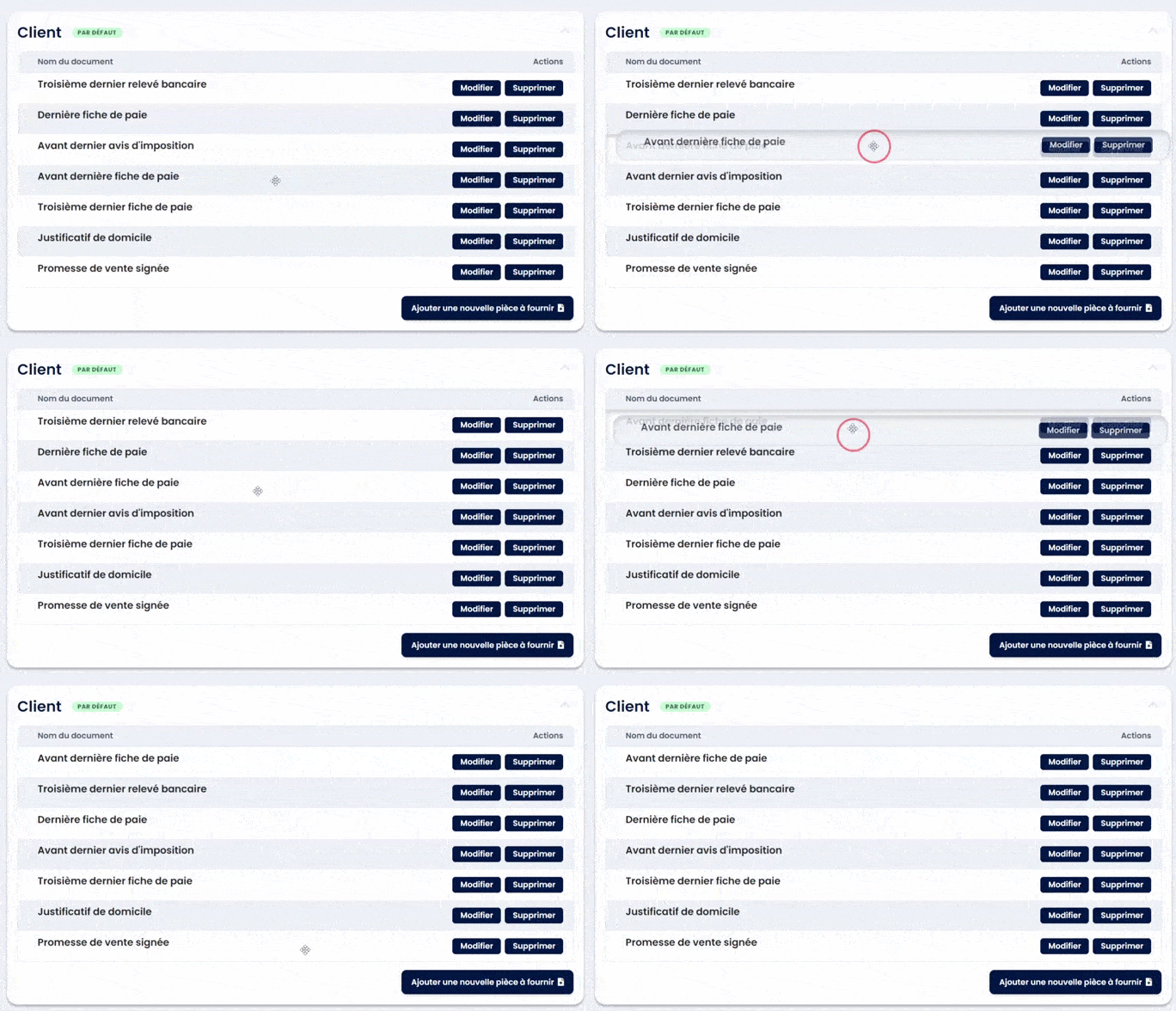
To regorganize the list of documents you requested, edit your document template, click on the document you would like to move and drag it to the new position.
Hint: this also works with form inputs or workflow steps!

Stop chasing documents. Start collecting them.
Join hundreds of teams who automate their document collection with Superdocu — free to get started.
Try Superdocu freeRelated articles
Workflows & Contacts
Which method should I use to send a workflow?
Test workflow, share a portal or invite an existing contact: when to use each method.
Customers
Read more →
Workflows & Contacts
Understanding workflow fields and modules
Understanding Workflow Fields In a workflow step, you can add several types of inputs: form fields, document requests, information screens, and DocuSign con...
Customers
Read more →